YouTube Music, Features, Music Streaming, Playlists & Complete User Guide
Just Now
9.5 MB
V6.2
Andriod +
500K +
Description
Introduction to YouTube Music
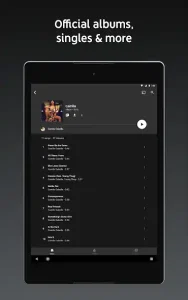
YouTube Music is a popular music streaming platform developed by Google. It allows users to listen to their favorite songs, albums, playlists, music videos, and live performances in one place. The platform offers a large collection of music from different artists, genres, and countries, making it easy for listeners to discover new songs and enjoy their favorite tracks.
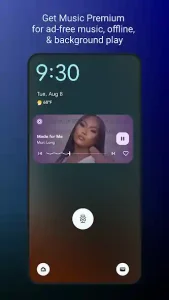
YouTube Music provides a simple listening experience through its mobile application and web platform. Users can search for music, create personal playlists, explore recommendations, and enjoy different types of audio and video content. It also offers a Premium subscription with additional features such as background playback, offline downloads, and an ad-free listening experience.
What Is YouTube Music and How Does It Work?
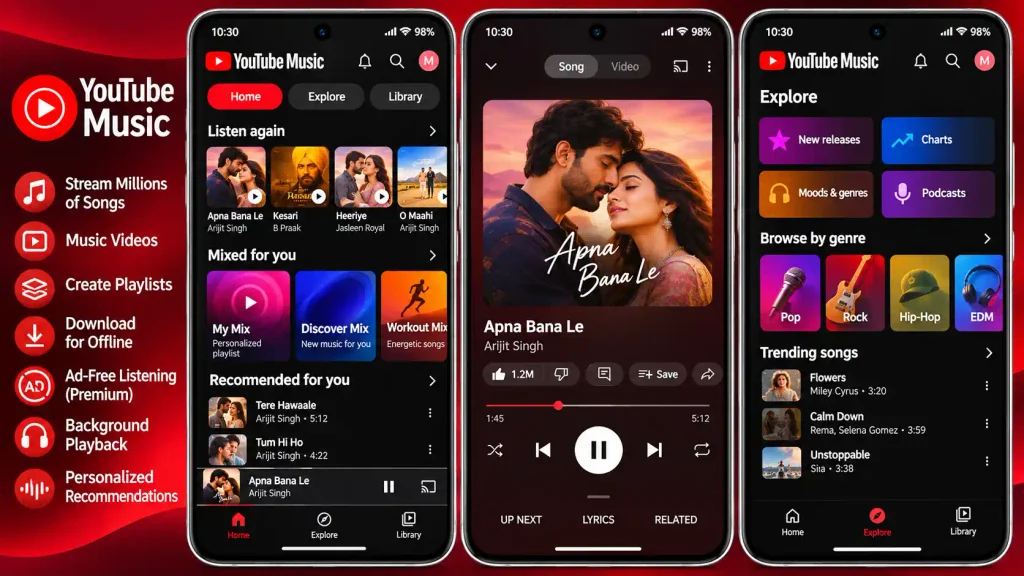
YouTube Music is an online music streaming service that helps users discover and enjoy music through the internet. It provides access to official songs, albums, remixes, covers, music videos, and other music-related content. Users can explore different categories and find music based on their favorite artists, moods, and interests.
The platform works by connecting users to a large online music library. After opening the application or website, users can search for songs, select albums, and play their favorite tracks. Its recommendation system suggests music based on listening activity and preferences. Users can also sign in with a Google Account to access personalized features and manage their music experience. You can visit the website Apknova
Key Features of YouTube Music
- Large Music Library: Explore songs, albums, remixes, and music videos.
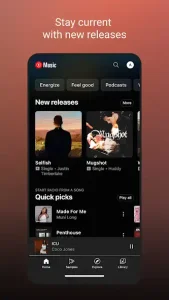
- Personalized Recommendations: Discover music based on your listening preferences.
- Music Search: Find songs using titles, artists, lyrics, and other details.
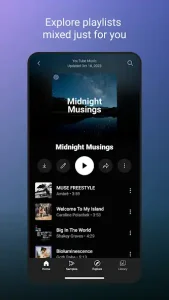
- Custom Playlists: Create and organize personal music collections.
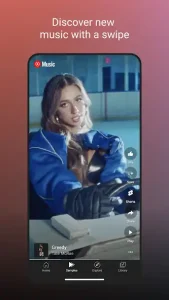
- Music Videos: Watch official videos and other music content.
- Offline Downloads: Save music for offline listening with an eligible Premium subscription.
- Background Playback: Continue listening while using other applications with Premium.
How to Create a YouTube Music Account
- Open the application or official website.
- Tap the Sign In option.
- Select your existing Google Account or create a new one.
- Enter your Google email address.
- Provide your account password.
- Complete any required verification.
- Start exploring music and personalized recommendations.
How to Download and Install YouTube Music
- Open the Google Play Store on your Android device.
- Search for YouTube Music.
- Select the official application developed by Google.
- Tap the Install button.
- Wait for the application to download.
- Open the application after installation.
- Sign in with your Google Account to start listening.
How to Log In to YouTube Music
- Open the YouTube Music application.
- Tap your profile icon.
- Select the Sign In option if you are not already logged in.
- Enter your Google Account email address.
- Type your account password.
- Complete additional verification if requested.
- Access your music library and personalized content.
How to Search and Discover Songs
- Open the YouTube Music application.
- Tap the Search icon.
- Enter a song title or artist’s name.
- Browse the available search results.
- Explore music by genre, mood, or activity.
- Check personalized recommendations on the Home screen.
- Select a song or album to start listening.
How to Create and Manage Playlists
- Open YouTube Music on your device.
- Search for your favorite song.
- Open the song’s options menu.
- Select Add to Playlist.
- Choose an existing playlist or create a new one.
- Enter a playlist name and select its privacy setting.
- Add, remove, or organize songs whenever needed.
How to Download Music for Offline Listening
- Open the YouTube Music application.
- Sign in to an eligible Premium account.
- Search for your favorite song or album.
- Open the selected music content.
- Tap the Download option where available.
- Wait for the download to finish.
- Open the Downloads section to listen offline.
YouTube Music Premium and Subscription Features
- Ad-Free Listening: Enjoy music without regular advertisements.
- Background Playback: Listen while using other applications or when your screen is off.
- Offline Downloads: Save eligible songs and albums for offline listening.
- Audio-Only Mode: Listen without streaming the music video.
- High-Quality Audio: Access available higher-quality streaming options.
- Premium Benefits: Enjoy additional listening features included in your subscription.
- Subscription Management: Review, manage, or cancel your membership through the relevant account settings.
How to Listen to Music, Albums, and Podcasts
- Open the YouTube Music application.
- Search for your favorite artist, song, or album.
- Select the music content you want to play.
- Tap the Play button.
- Use playback controls to pause, skip, or repeat tracks.
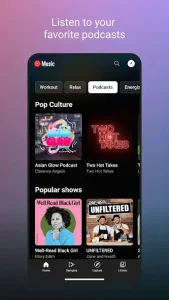
- Explore available podcasts and other audio content.
- Add your favorite music to playlists for convenient listening.
Benefits of Using YouTube Music
- Provides access to a large collection of music.
- Helps users discover new songs and artists.
- Offers personalized music recommendations.
- Supports music videos and audio streaming.
- Allows users to create custom playlists.
- Provides offline listening through eligible Premium features.
- Works on supported smartphones, tablets, and computers.
Safety and Privacy Tips for YouTube Music Users
- Use a strong password for your Google Account.
- Enable two-step verification for additional security.
- Download the application from official sources.
- Avoid clicking suspicious links.
- Review your Google Account privacy settings.
- Be careful when sharing personal playlists publicly.
- Keep the application updated to access security improvements.
Pros and Cons
| Pros | Cons |
|---|---|
| Large collection of songs | Some features require Premium |
| Easy-to-use interface | Advertisements appear in the free version |
| Personalized recommendations | Requires an internet connection for streaming |
| Supports music videos | Offline downloads require an eligible subscription |
| Custom playlist creation | Music availability varies by country |
| Background playback with Premium | Some advanced features are subscription-based |
| Available on multiple devices | Audio quality depends on settings and connection |
Frequently Asked Questions (FAQs)
1. What is YouTube Music mainly used for?
YouTube Music is mainly used for streaming songs, listening to albums, watching music videos, discovering artists, and creating personal playlists.
2. Is free to use?
Yes, offers a free version with advertisements. Users can also purchase a Premium subscription for additional features.
3. Can I use YouTube Music without an account?
You may be able to access some music without signing in, but a Google Account is required for personalized features and managing your music library.
4. Can I download songs on YouTube Music?
Yes, eligible Premium subscribers can download supported songs, albums, and playlists for offline listening.
5. Does YouTube Music work on Android phones?
Yes, YouTube Music is available on supported Android devices through the Google Play Store.
6. What is the difference between YouTube Music Free and Premium?
The free version includes advertisements and certain playback restrictions, while Premium offers benefits such as ad-free listening, background playback, and offline downloads.
7. Can I create my own playlists?
Yes, users can create personal playlists, add their favorite songs, and organize music according to their preferences.
8. Can I listen to YouTube Music in the background?
Yes, background playback is available with an eligible Premium subscription.
9. Does YouTube Music offer music videos?
Yes, users can explore official music videos, live performances, and other music-related video content.
10. Is YouTube Music safe to use?
Yes, YouTube Music is an official Google service. Users should download the application from trusted sources and protect their Google Accounts with strong passwords and two-step verification.
Images