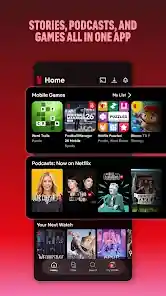
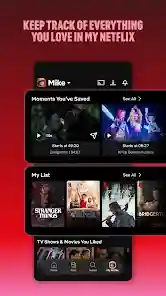
Netflix, Watch Movies, TV Shows & Original Series Online
Just Now
10 MB
V5.5
Andriod +
300K +
Description
Introduction to Netflix – Online Streaming and Entertainment Platform
Netflix is one of the most popular online streaming platforms, offering a wide collection of movies, TV shows, documentaries, and original entertainment. It allows people to watch their favourite content through an internet connection without visiting a cinema or purchasing physical DVDs. Users can explore different categories, including action, comedy, drama, romance, horror, animation, and family entertainment.
Netflix is designed to make entertainment simple and convenient. Users can access the platform through smartphones, tablets, computers, and Smart TVs. Depending on the subscription plan and country, they can enjoy different streaming options, create individual profiles, and download selected titles for offline viewing. Its easy-to-use interface makes it suitable for people with different entertainment preferences.
What Is Netflix and How Does It Work?
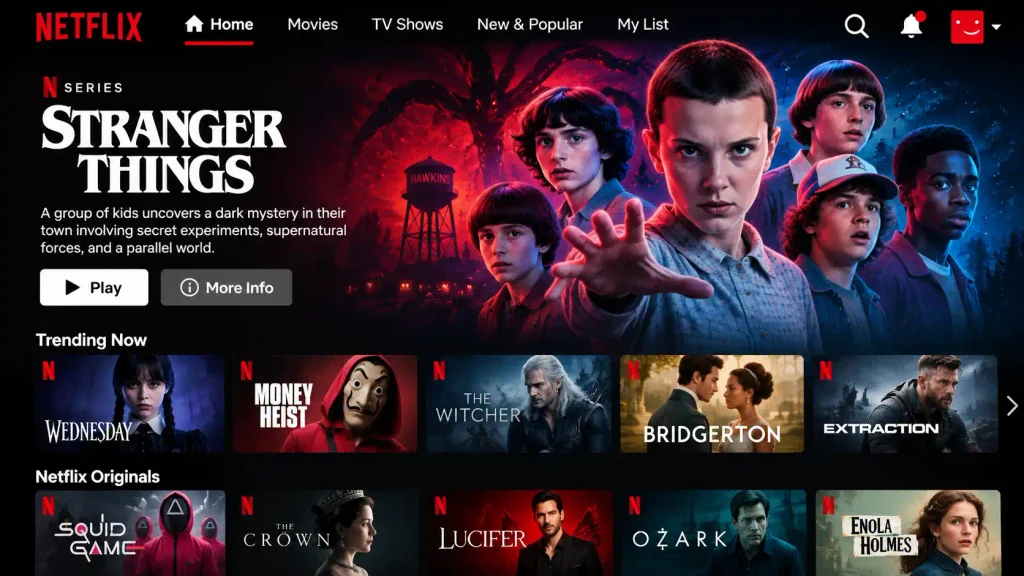
Netflix is a subscription-based streaming service that provides access to a large library of digital entertainment. Instead of downloading every movie or TV show separately, users can stream available content directly through the app or website. The platform offers licensed entertainment from different studios as well as Originals produced or distributed under the brand.
Netflix works through an internet connection and a registered account. Users choose a subscription plan, sign in, and browse the available entertainment library. After selecting a movie or TV show, they can start watching instantly. Also provides personalised recommendations based on viewing activity, helping users discover new content that matches their interests. You cna visit the website apknova
Key Features of Netflix
- Large Entertainment Library: Explore movies, TV shows, documentaries, and other content.
- Netflix Originals: Watch exclusive productions available on the platform.
- Personalised Recommendations: Discover content based on viewing preferences.
- Multiple Profiles: Create separate profiles for different family members.
- Offline Downloads: Download selected titles for watching without an internet connection.
- Multiple Languages: Access available audio and subtitle language options.
- Smart Search: Find movies and shows using titles, actors, or genres.
- Parental Controls: Set viewing restrictions and manage children’s profiles.
- Continue Watching: Resume movies and episodes from where you stopped.
- Multi-Device Access: Watch Netflix on supported smartphones, computers, tablets, and TVs.
Popular Movies, TV Shows, and Original Content on Netflix
Netflix offers entertainment across different genres and categories. Some popular titles include:
- Movies: The Gray Man, Extraction, Red Notice, and Bird Box.
- TV Shows: Wednesday, Stranger Things, Bridgerton, and The Witcher.
- Documentaries: Our Planet, The Social Dilemma, and Formula 1: Drive to Survive.
- Action and Adventure: Enjoy exciting stories, missions, and thrilling adventures.
- Comedy: Explore entertaining movies and television series.
- Family Entertainment: Find animated movies and age-appropriate programmes.
- Netflix Originals: Watch exclusive movies, series, and documentaries.
Content availability may vary depending on your country and licensing agreements.
Netflix Subscription Plans and Pricing
Netflix offers different subscription options depending on the country. Plans may differ in video quality, supported devices, simultaneous streams, and available features.
- Mobile Plan: Available in selected countries, designed mainly for smartphone and tablet viewing.
- Basic Plan: An entry-level option where available.
- Standard Plan: Offers Full HD streaming and additional viewing flexibility.
- Premium Plan: Provides higher-quality streaming, including 4K Ultra HD where supported.
- Payment Options: Available payment methods depend on the country and account.
- Plan Changes: Users can upgrade or downgrade their subscription through account settings.
Netflix pricing and plan names change by market. Check the official website for current prices in Pakistan.
How to Create a Netflix Account
- Open the official website or application.
- Select the option to get started or sign up.
- Enter your email address.
- Create a secure password.
- Choose an available subscription plan.
- Add an accepted payment method.
- Complete the registration process.
- Open your new account and start exploring.
How to Download and Install Netflix
- Android: Open Google Play Store and search for Netflix.
- iPhone and iPad: Visit the Apple App Store and search for Netflix.
- Windows PC: Use the official Netflix website or the supported Windows app.
- Smart TV: Open your television’s app store and search for Netflix.
- Installation: Select the application and follow the on-screen instructions.
- Updates: Keep the application updated to access the latest supported features.
How to Log In and Manage Your Netflix Account
- Open Launch the application or visit the official website.
- Enter Email: Provide your registered email address or phone number.
- Enter Password: Type your account password.
- Sign In: Select the sign-in option to access your account.
- Manage Profiles: Add, edit, or remove profiles when needed.
- Change Password: Update your password through account settings.
- Manage Subscription: Review your plan and billing information.
- Sign Out: Log out when using a shared or public device.
How to Watch Movies and TV Shows on Netflix
- Open the Netflix application or website.
- Sign in using your registered account.
- Select your preferred profile.
- Browse movies, TV shows, and entertainment categories.
- Use the search option to find a specific title.
- Select the movie or episode you want to watch.
- Press the play button to start streaming.
- Adjust subtitles, audio, and playback settings when available.
Netflix Download Feature – Watching Content Offline
- Download Selected Titles: Save supported movies and episodes to your device.
- Offline Viewing: Watch downloaded content without an active internet connection.
- Download Quality: Select an available download quality in application settings.
- Storage Management: Delete watched downloads to free up device space.
- Download Availability: Not every movie or TV show supports offline downloads.
- Expiration Limits: Some downloaded titles expire after a specific period.
- Account Access: You may need to reconnect to Netflix periodically to maintain download access.
Netflix Compatibility with Android, iOS, Smart TVs, and PCs
- Android Devices: supports compatible Android smartphones and tablets.
- iOS Devices: Users can access through supported iPhones and iPads.
- Smart TVs: Available on many televisions with supported operating systems.
- Windows Computers: Users can stream through a supported browser or application.
- Mac Computers: can be accessed through supported web browsers.
- Gaming Consoles: Selected PlayStation and Xbox consoles support.
- Internet Connection: A stable internet connection helps provide smoother streaming.
Pros and Cons of Using
| Pros | Cons |
|---|---|
| Large collection of movies and TV shows. | Requires a paid subscription for most viewing. |
| Easy-to-use interface. | Content availability varies by country. |
| High-quality streaming options. | Requires a stable internet connection. |
| Offers exclusive Originals. | Subscription prices may change. |
| Supports multiple devices. | Some titles are removed over time. |
| Provides offline downloads for selected titles. | Not all content is available for download. |
| Personalised movie recommendations. | Streaming quality depends on internet speed and plan. |
| Separate profiles for family members. | Some features vary by subscription plan. |
Frequently Asked Questions (FAQs) About
1. What is Netflix?
Is an online streaming platform where users can watch movies, TV shows, documentaries, and original entertainment.
2. Is free to use?
Netflix generally requires a paid subscription. It does not offer a permanent free plan in most markets.
3. Can I watch on my mobile phone?
Yes, supports compatible Android smartphones and iPhones through its official application.
4. Does work without the internet?
You can watch selected movies and TV shows offline after downloading them through the application.
5. Can I use on my Smart TV?
Yes, is available on many supported Smart TVs.
6. How many profiles can I create on ?
Allows users to create up to five profiles on one account.
7. Does offer original movies and TV shows?
Yes, produces and distributes exclusive movies, documentaries, and television series under its Netflix Originals collection.
8. Can I cancel my subscription?
Yes, you can cancel your subscription through your account settings, subject to your billing arrangements.
9. Is available on Windows computers?
Yes, users can access through supported web browsers on Windows computers.
10. Is available in Pakistan?
Yes, was available in Pakistan. Users can visit its official website to check available subscription plans and payment options.
Images