
LinkedIn Community & Network, Features, Professional Connections, Benefits & Networking Guide
Just Now
10 MB
V4.6
Andriod +
500K +
Description
Introduction to LinkedIn: Community & Network
LinkedIn: Community & Network provides users with opportunities to connect with professionals, share knowledge, and develop valuable relationships, discuss professional topics, and build useful relationships. Whether someone is looking for a job, growing a business, or learning about a particular industry, LinkedIn offers different ways to connect with others.
LinkedIn: Community & Network focuses on building professional relationships and sharing knowledge with people who have similar interests. Users can join professional groups, follow companies, participate in discussions, and share updates about their careers. These activities help people expand their networks and discover new professional opportunities.
What Is LinkedIn: Community & Network?
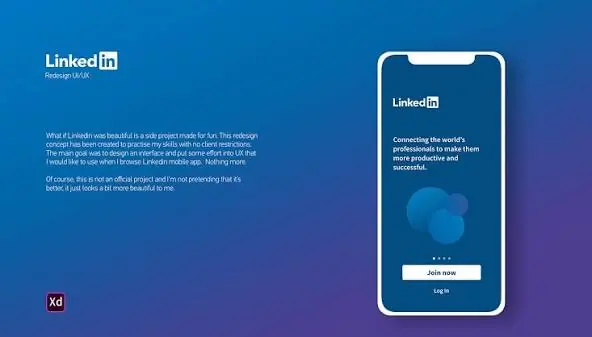
LinkedIn: Community & Network refers to the professional connections and communities available through LinkedIn. It allows users to communicate with people from different industries, exchange ideas, and learn from their professional experiences. Unlike general social media platforms, LinkedIn mainly focuses on careers, businesses, education, and professional development.
Users can create profiles, send connection requests, follow industry leaders, and join groups related to their interests. They can also publish posts, share articles, and participate in discussions. These features make LinkedIn a useful platform for people who want to develop professional relationships and stay connected with their industries. You can visit the website Apknova
Key Features of LinkedIn Community & Networking
- Professional Connections: Connect with colleagues, recruiters, business owners, and industry professionals.
- LinkedIn Groups: Join communities based on careers, industries, and professional interests.
- Profile Creation: Display your education, skills, work experience, and achievements.
- Posts and Articles: Share professional updates, opinions, and useful information.
- Company Pages: Follow businesses and learn about their activities and updates.
- Messaging: Communicate directly with your professional connections.
- Recommendations: Give and receive professional recommendations.
- Job Opportunities: Discover career opportunities through your professional network.
- LinkedIn: Community & Network offers professional groups, direct messaging, content sharing, and networking tools.
How LinkedIn Helps Build Professional Connections
- LinkedIn helps users connect with people working in similar industries.
- Users can find professionals based on their job titles, companies, and skills.
- Connection requests make it easier to expand a professional network.
- Messaging allows users to communicate with their connections.
- Following industry experts helps users learn about professional trends.
- Users can develop relationships with recruiters and potential employers.
- LinkedIn: Community & Network makes it easier to discover industry experts, recruiters, business owners, and other professionals.
Creating and Managing Your LinkedIn Profile
- Sign up using your email address and create a LinkedIn account.
- Add a professional profile picture.
- Write a clear headline describing your profession.
- Include your education and work experience.
- Add relevant professional skills and certifications.
- Write an informative About section.
- Update your profile whenever you gain new experience or qualifications.
- Keep your information accurate and professional.
Finding and Joining Professional Communities
- Search for LinkedIn Groups related to your profession or interests.
- Explore communities focused on specific industries.
- Join groups that share useful information and professional discussions.
- Read group rules before participating.
- Follow relevant companies and professional organizations.
- Take part in discussions by sharing helpful comments.
- Connect with members who have similar career interests.
Connecting with Professionals and Industry Experts
- Search for professionals using their names, job titles, or company names.
- Send connection requests with a short and polite message.
- Follow industry experts to learn from their posts.
- Engage with professional content through comments and reactions.
- Participate in relevant networking discussions.
- Maintain respectful communication with your connections.
- Build genuine relationships instead of sending unnecessary connection requests.
Sharing Posts, Articles, and Professional Updates
- Share updates about your professional achievements.
- Publish articles related to your industry or experience.
- Post useful information that can help other professionals.
- Share career milestones and completed projects.
- Add relevant images or documents when they support your content.
- Comment on posts to participate in professional discussions.
- Maintain a consistent and professional posting style.
How to Grow Your LinkedIn Network
- Connect with colleagues and former coworkers.
- Search for professionals in your industry.
- Follow relevant companies and organizations.
- Join professional groups and participate actively.
- Share useful posts and industry-related information.
- Personalize your connection requests.
- Engage with other people’s professional updates.
- Keep your profile complete and updated.
Using LinkedIn Groups for Discussions and Networking
- Find groups related to your career and professional interests.
- Join communities where members share useful information.
- Ask questions about industry-related topics.
- Share your knowledge and professional experience.
- Participate in discussions with respectful comments.
- Learn from the experiences of other group members.
- Avoid posting spam or unrelated promotional content.
Benefits of LinkedIn for Career and Business Growth
- Helps users build a wider professional network.
- Provides opportunities to connect with recruiters and employers.
- Makes it easier to discover job openings.
- Supports personal branding and professional visibility.
- Helps businesses connect with potential customers.
- Provides access to industry news and professional knowledge.
- Creates opportunities for collaboration and partnerships.
- Allows users to showcase their skills and achievements.
Tips for Building a Strong Professional Network
- Keep your LinkedIn profile complete and professional.
- Connect with people who share relevant career interests.
- Write personalized connection messages.
- Share useful and informative content.
- Participate in professional discussions.
- Respond politely to messages and comments.
- Build relationships through meaningful communication.
- Review and update your professional information regularly.
Pros and Cons of LinkedIn: Community & Network
| Pros | Cons |
|---|---|
| Helps build professional connections | Some users send unwanted messages |
| Provides access to industry experts | Competition for attention can be high |
| Supports career development | Certain features require a paid subscription |
| Makes professional networking easier | Fake profiles and spam can be an issue |
| Allows users to share knowledge | Too many updates can become distracting |
| Helps businesses develop relationships | Building a strong network takes time |
Personal Review
LinkedIn: Community & Network is a useful option for people who want to develop professional relationships and learn from others in their industries. Its groups, messaging features, professional profiles, and content-sharing options make networking easier. Users can connect with experienced professionals, follow companies, and discover different career opportunities.
The platform is particularly helpful for job seekers, business owners, students, and working professionals. However, getting meaningful results requires regular activity and genuine communication. Overall, LinkedIn provides a convenient way to build professional connections and improve career visibility.
Frequently Asked Questions (FAQs)
What is LinkedIn: Community & Network?
It refers to LinkedIn’s professional networking features that help users connect with people, join groups, and participate in industry discussions.
Is LinkedIn useful for professional networking?
Yes, LinkedIn helps users connect with colleagues, recruiters, business owners, and professionals from different industries.
Can I join professional groups on LinkedIn?
Yes, users can search for relevant LinkedIn Groups and join communities related to their careers and interests.
How can I grow my LinkedIn network?
You can grow your network by sending personalized connection requests, joining professional groups, sharing useful content, and communicating with other professionals.
Can I connect with recruiters on LinkedIn?
Yes, you can search for recruiters, follow their updates, and send connection requests to develop professional relationships.
Is LinkedIn free to use?
Yes, LinkedIn offers a free account with basic networking features. It also provides optional paid Premium subscriptions.
Can businesses use LinkedIn for networking?
Yes, businesses can use LinkedIn to connect with customers, partners, employees, and other organizations.
How can I make my LinkedIn profile professional?
Add a suitable profile picture, clear headline, work experience, education, skills, and an informative About section.
Are LinkedIn Groups useful for beginners?
Yes, beginners can join relevant groups to learn about industries, ask questions, share ideas, and connect with experienced professionals.
Can I share articles and professional updates on LinkedIn?
Yes, LinkedIn allows users to publish posts, share articles, and discuss professional topics with their networks.







