Instagram, Features, Reels, Stories, Messaging & Complete User Guide
Just Now
15MB
V5.2
Andriod +
500K +
Description
Introduction to Instagram
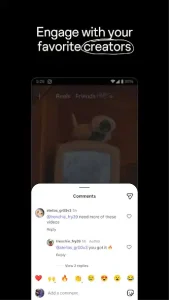
Instagram is a popular social media platform that allows users to share photos, videos, stories, and other creative content with people around the world. It provides an easy way to connect with friends, family, creators, and businesses. Users can create personal profiles, follow other accounts, like posts, leave comments, and explore content based on their interests.
Instagram offers several features that make online communication and content sharing more interesting. From short videos and temporary stories to direct messaging and live broadcasts, the platform provides different ways to interact with others. It is also widely used by businesses and content creators to promote products, build audiences, and connect with customers.
What Is Instagram and How Does It Work?
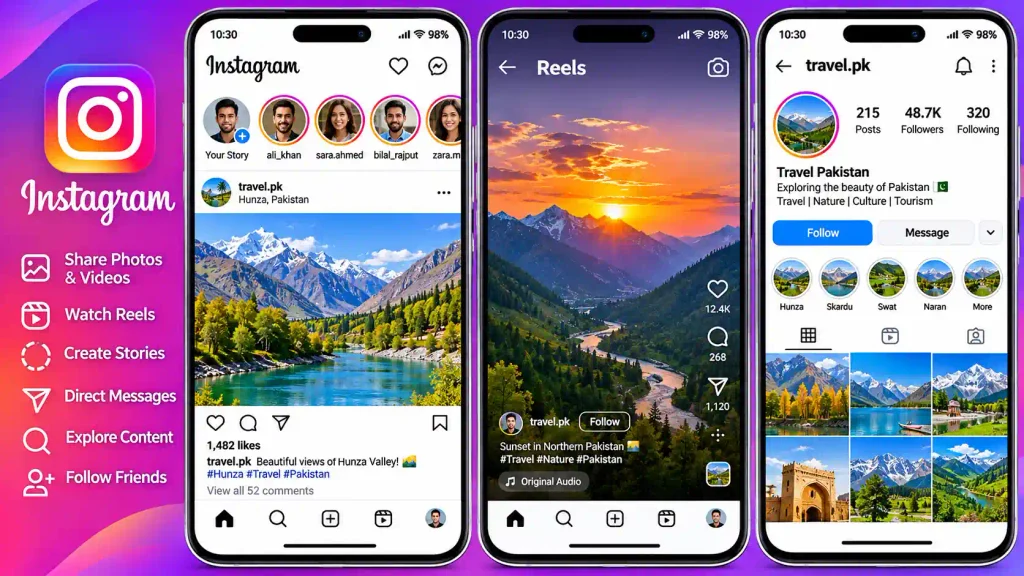
Instagram is a social networking application developed by Meta. It focuses mainly on visual content, allowing users to upload photos, share videos, create stories, and publish short-form Reels. Users can follow accounts to see their latest updates and explore new content through the Explore section.
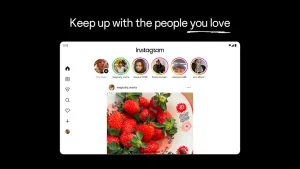
The platform works through an internet connection and is available on supported smartphones and computers. After creating an account, users can customize their profiles, follow people, publish content, and communicate through direct messages. Instagram also uses content recommendations to help users discover posts, videos, and accounts that may match their interests. You can visit the website Apknova
Key Features of Instagram
- Photo Sharing: Upload and share pictures with followers.
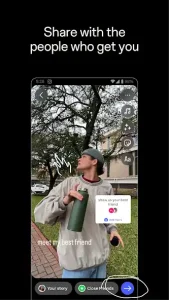
- Stories: Share photos and videos that normally disappear after 24 hours.
- Reels: Create and watch short-form videos.
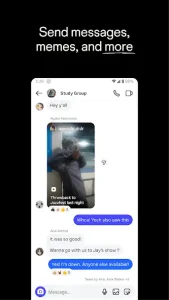
- Direct Messages: Send private messages to other users.
- Explore Page: Discover new posts, creators, and popular content.
- Live: Broadcast live videos and interact with viewers.
- Filters and Effects: Edit photos and videos using creative tools.
- Hashtags: Organize and discover content through relevant hashtags.
- Business Profiles: Access professional tools for brands and businesses.
- Notifications: Receive updates about likes, comments, followers, and messages.
How to Create an Instagram Account
- Open the Instagram application.
- Tap the Sign Up or Create New Account option.
- Enter your mobile number or email address.
- Provide your full name.
- Create a username for your profile.
- Set a strong password.
- Enter your date of birth.
- Complete the verification process if requested.
- Add a profile picture.
- Follow suggested accounts or search for friends.
How to Download and Install Instagram
- Open the Google Play Store on your Android device.
- Search for Instagram.
- Select the official application published.
- Tap the Install button.
- Wait for the download to complete.
- Open the application.
- Allow the necessary permissions.
- Log in to your account or create a new one.
- Start exploring features.
How to Log In to Instagram
- Open the application.
- Enter your username, email address, or phone number.
- Type your account password.
- Tap the Log In button.
- Complete additional security verification if required.
- Wait for your home feed to appear.
- Access your profile and other Instagram features.
How to Share Photos, Videos, and Stories
- Open on your device.
- Tap the Create (+) button.
- Select Post or Story.
- Choose a photo or video from your gallery.
- Capture new content using your camera if preferred.
- Apply filters or editing tools.
- Add a caption to your post.
- Include relevant hashtags if appropriate.
- Select your preferred audience where available.
- Tap Share to publish your content.
How to Use Instagram Reels
- Open the application.
- Tap the Reels section.
- Browse short videos from different creators.
- Tap the camera or Create button to make a Reel.
- Record a new video or upload existing clips.
- Add music, text, stickers, or effects.
- Adjust the video using available editing tools.
- Write a caption for your Reel.
- Choose a cover image if available.
- Share your Reel with your audience.
Instagram Direct Messages and Chat Features
- Private Messaging: Send direct messages to other users.
- Group Chats: Communicate with multiple people in one conversation.
- Photo and Video Sharing: Send media through direct messages.
- Voice Messages: Record and send audio messages.
- Message Reactions: React to messages using emojis.
- Message Requests: Review messages from people you do not follow.
- Voice and Video Calls: Communicate through supported calling features.
- Message Controls: Manage conversations and available privacy settings.
How to Follow Friends and Discover New Content
- Open the application.
- Tap the search or Explore icon.
- Enter a person’s name or username.
- Browse the available search results.
- Open the correct profile.
- Tap the Follow button.
- Explore recommended accounts.
- Browse posts and Reels based on your interests.
- Follow creators, brands, and communities.
- Interact with content you enjoy.
Benefits of Using Instagram
- Easy photo and video sharing.
- Convenient communication with friends and family.
- Access to creative video content.
- Opportunities to discover new creators.
- Useful promotional tools for businesses.
- Helps creators build an online audience.
- Supports private and group messaging.
- Provides entertainment through Reels and Stories.
- Offers creative photo and video editing options.
- Helps users stay updated with trends and interests.
Safety and Privacy Tips
- Use a strong and unique password.
- Enable two-factor authentication.
- Keep your account and personal information private when appropriate.
- Avoid accepting suspicious follow requests.
- Do not click unknown or suspicious links.
- Never share your password or verification codes.
- Review your account privacy settings regularly.
- Block and report suspicious accounts.
- Be careful when sharing personal photos and videos.
- Keep the application updated.
- Review connected apps and account access.
Pros and Cons
| Pros | Cons |
|---|---|
| Easy-to-use interface | Requires an internet connection |
| Simple photo and video sharing | Can consume significant mobile data |
| Connects people worldwide | May encourage excessive screen time |
| Offers creative editing tools | Some features require regular updates |
| Useful for business promotion | Competition among creators can be high |
| Supports Reels and Stories | Recommended content may not always be relevant |
| Provides direct messaging | Privacy risks can arise from oversharing |
| Helps discover new content | Some advanced tools are limited to professional accounts |
Frequently Asked Questions (FAQs)
1. What is Instagram mainly used for?
Is mainly used for sharing photos, videos, Stories, and Reels, communicating with people, discovering content, and promoting businesses.
2. Is free to use?
Yes, is free to download and use. However, internet charges may apply, and certain paid services or advertising options are available.
3. Can I use on an Android phone?
Yes, is available for supported Android smartphones through the Google Play Store.
4. Can I create an account without a phone number?
Yes, you can generally register using an email address instead of a mobile number.
5. What are Reels?
Reels are short-form videos that users can create, edit, share, and watch.
6. How long do Instagram Stories stay visible?
Stories normally disappear after 24 hours unless they are added to Highlights.
7. Can I send private messages on Instagram?
Yes, Direct Messages allow users to send text messages, photos, videos, and other supported content privately.
8. Can I make my Instagram account private?
Yes, you can switch to a private account through your privacy settings. This allows you to control who can follow you and view your private content.
9. Is Instagram useful for businesses?
Yes, businesses can use to promote products, share updates, reach potential customers, and communicate with their audiences.
10. Is Instagram safe for users?
Offers privacy and security tools, including account controls, blocking, reporting, and two-factor authentication. Users should follow good online safety practices to protect their accounts.
Images