Facebook Lite, Features, Download, Benefits & Complete User Guide
Just Now
9.5 MB
V4.6
Andriod +
25K +
Description
Introduction to Facebook Lite
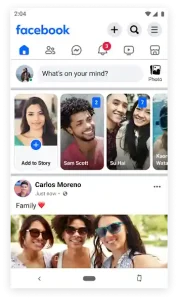
Facebook Lite is a lightweight version of the popular Facebook social media platform. It is designed for users who want to stay connected with friends and family while using less mobile data and storage space. The app offers basic Facebook features, including sharing posts, viewing photos, watching videos, and communicating with other people.
Facebook Lite is especially useful for users with limited internet connections or older Android smartphones. Its simple interface and smaller application size make it easier to access social media without requiring a powerful device. Users can enjoy many essential Facebook features with a smooth and convenient experience.
Users can learn more about Facebook’s services by visiting the official Facebook website. Android users can also check the Facebook Lite application on Google Play to find its latest version and installation details.
What Is Facebook Lite and How Does It Work?
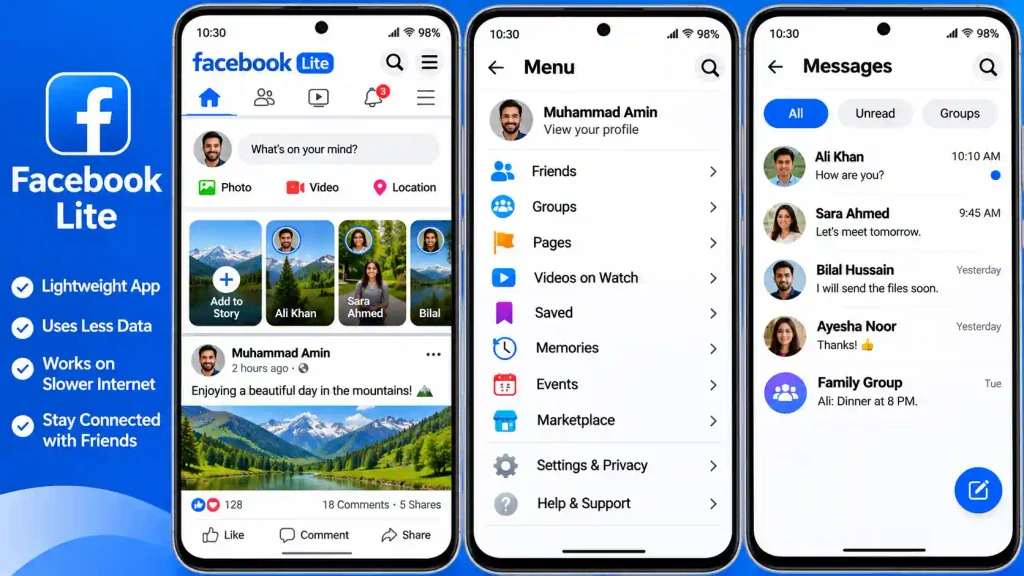
Facebook Lite is a mobile application developed by Meta that provides a simplified experience. It allows users to create accounts, connect with friends, follow pages, join groups, and share different types of content. The application is designed to work efficiently on devices with limited storage and slower internet connections.
The app works by connecting users to their accounts through an internet connection. After logging in, users can explore their news feed, like posts, comment on updates, upload photos, and send messages where supported. Its lightweight design helps reduce data usage and makes everyday social networking more accessible. You can visit the website Apknova
Key Features of Facebook Lite
- Small App Size: Requires less storage space than the standard app.
- Low Data Usage: Designed to use less mobile internet data.
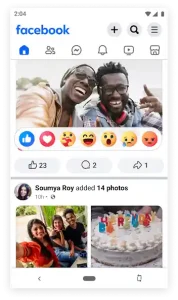
- News Feed: View updates, photos, videos, and posts.
- Photo Sharing: Upload and share pictures with friends.
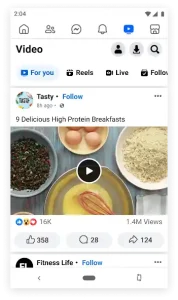
- Video Watching: Explore videos shared on the platform.
- Friend Connections: Find and connect with other users.
- Groups: Join communities and participate in discussions.
- Facebook Pages: Follow businesses, brands, and public figures.
- Notifications: Receive updates about likes, comments, and activities.
- Messenger Access: Use available messaging features to communicate with friends.
4. How to Create a Lite Account
- Open the Facebook Lite application.
- Tap the Create New Account option.
- Enter your first and last name.
- Provide your date of birth.
- Select your gender if requested.
- Enter your mobile number or email address.
- Create a strong password.
- Complete the registration process.
- Enter the verification code if requested.
- Add a profile picture and other details.
How to Download and Install
- Open the Google Play Store on your Android phone.
- Search for Facebook Lite.
- Select the official application published by Meta.
- Tap the Install button.
- Wait for the download to finish.
- Open the application.
- Allow the necessary permissions.
- Log in or create a new account.
- Start exploring the available features.
How to Log In
- Open Facebook Lite on your device.
- Enter your registered email address or phone number.
- Type your account password.
- Tap the Log In button.
- Complete any requested security verification.
- Wait for your news feed to load.
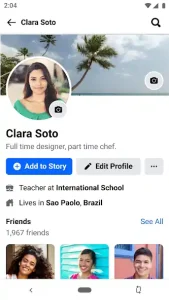
- Access your profile and other features.
How to Share Photos, Videos, and Posts
- Open the Facebook Lite application.
- Go to the home or news feed section.
- Tap the What’s on your mind option.
- Write your post.
- Select the photo or video option if needed.
- Choose media from your device.
- Add a caption or description.
- Select your preferred audience.
- Tap the Post button to share your content.
How to Connect with Friends and Family
- Open the Lite application.
- Use the search bar to find people.
- Enter a friend’s name.
- Open the correct profile.
- Tap Add Friend to send a request.
- Wait for the person to accept.
- Visit your friends list to manage connections.
- Like and comment on their posts.
- Share updates and communicate regularly.
Facebook Lite Messenger and Chat Features
- Send Messages: Communicate with friends through available messaging features.
- Text Conversations: Exchange messages with other users.
- Photo Sharing: Send pictures through supported messaging options.
- Group Chats: Participate in conversations with multiple people.
- Message Notifications: Receive alerts about incoming messages.
- Messenger Integration: Access messaging through supported Meta messaging services.
- Voice and Video Calls: Use the Messenger app for calling features where available.
Benefits of Using Facebook Lite
- Uses less storage space on your smartphone.
- Helps reduce mobile data consumption.
- Works well on slower internet connections.
- Offers a simple and easy-to-use interface.
- Supports essential social networking features.
- Helps users stay connected with friends and family.
- Suitable for older Android devices.
- Makes browsing social media more convenient.
- Provides access to groups and pages.
- Offers a lightweight alternative to the standard app.
Safety and Privacy Tips for Facebook Lite Users
- Use a strong and unique account password.
- Enable two-factor authentication.
- Never share your login details with strangers.
- Avoid clicking suspicious links.
- Review your account privacy settings.
- Accept friend requests only from people you trust.
- Avoid sharing sensitive personal information.
- Block or report suspicious accounts.
- Keep your application updated.
- Log out when using a shared device.
Pros and Cons of Facebook Lite
| Pros | Cons |
|---|---|
| Small application size | Fewer features than the standard app |
| Uses less mobile data | Some images may load at lower quality |
| Suitable for older smartphones | Interface is more basic |
| Works with slower internet | Some features may load slowly |
| Easy-to-use interface | Limited advanced features |
| Supports essential social activities | Some features require Messenger |
| Saves storage space | Video experience may be limited |
13. Frequently Asked Questions (FAQs)
1. What is Facebook Lite mainly used for?
Is used for social networking, sharing posts, viewing photos and videos, connecting with friends, and accessing features with less data and storage.
2. Is Facebook Lite free to download?
Yes, is free to download from the Google Play Store in supported regions. Internet and mobile data charges may apply.
3. Can I use Facebook Lite on an Android phone?
Yes, is designed for supported Android smartphones and offers a lightweight social media experience.
4. Does Facebook Lite use less data?
Yes, is designed to reduce data usage compared with the standard Facebook application.
5. Can I watch videos on Facebook Lite?
Yes, users can browse and watch videos, although playback quality and availability may depend on the device and internet connection.
6. Can I share photos on Facebook Lite?
Yes, you can upload photos, write captions, and share posts with your selected audience.
7. Does Facebook Lite support Messenger?
Facebook Lite provides access to available messaging features, while some messaging and calling functions may require the separate Messenger application.
8. Is Facebook Lite suitable for slow internet connections?
Yes, it is designed to work efficiently on slower internet connections and networks with limited bandwidth.
9. Can I use my regular Facebook account on Facebook Lite?
Yes, you can log in using your existing Facebook email address or phone number and password.
10. Is Facebook Lite safe to use?
Yes, Facebook Lite provides account security and privacy features. Users should also use strong passwords and enable two-factor authentication to protect their accounts.
Images