ChatGPT, Features, Benefits, Free vs Paid Plans, and Complete User Guide (2026)
Just Now
15MB
V5.3
Andriod +
5000K +
Description
Introduction to ChatGPT AI-Powered Chatbot and Virtual Assistant
ChatGPT is an artificial intelligence chatbot designed to make everyday communication, learning, and online tasks easier. Developed by OpenAI, it allows users to interact with AI through simple text messages and natural conversations. Whether someone needs help writing an article, understanding a difficult topic, translating text, or finding useful information, ChatGPT can provide quick and helpful responses. Its simple interface makes it accessible to students, professionals, business owners, and people who want assistance with everyday activities.
Over time, ChatGPT has developed into more than just a basic chatbot. It offers different capabilities, including answering questions, generating content, analyzing files, creating images, assisting with coding, and supporting voice conversations. Users can access it through a web browser or mobile application, making it convenient to use from different devices. Its ability to understand instructions and respond in a conversational way has made ChatGPT a popular AI assistant for personal, educational, and professional purposes.
What Is ChatGPT and How Does It Work?
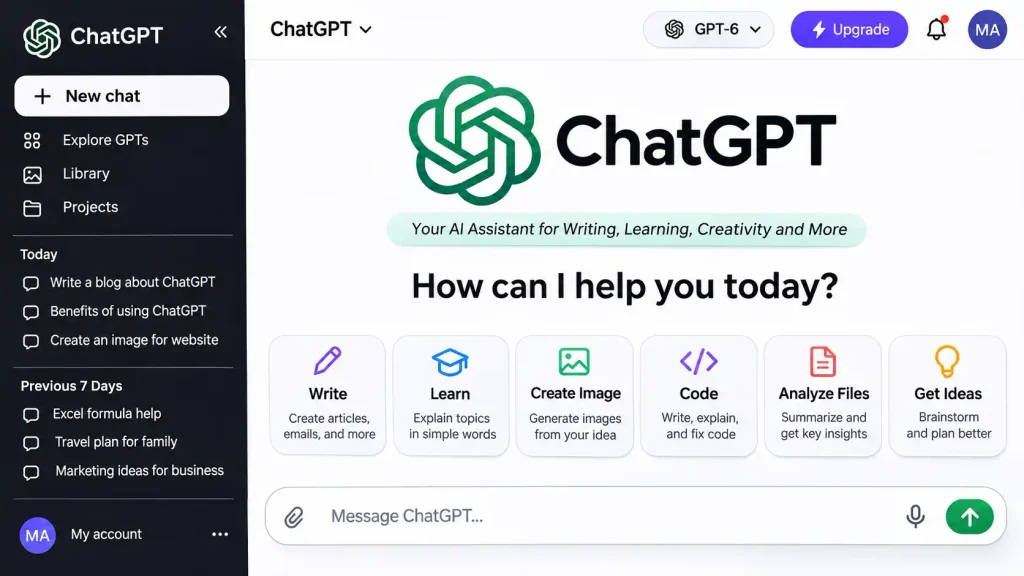
ChatGPT is an AI-powered conversational assistant that understands user questions and generates responses based on the information and patterns learned during its training. It uses advanced language models to understand written instructions, recognize context, and produce relevant answers. Users simply type a question or provide an instruction, and ChatGPT processes the request to generate a response. It can assist with various activities, such as preparing documents, explaining technical subjects, solving problems, writing emails, and translating languages.
ChatGPT works by processing the words and context provided by users and predicting suitable responses using its trained AI models. It does not think or understand information exactly like a human being, but it can recognize language patterns and generate natural-sounding conversations. Depending on the available model and features, it can also work with uploaded documents, images, voice input, and other supported content. Users can continue asking follow-up questions to improve or clarify the answers they receive. You can visit the website Apknova
Key Features and Capabilities of ChatGPT
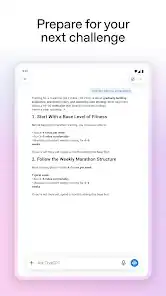
ChatGPT offers several useful features that help users complete different tasks without switching between multiple applications. Its capabilities cover writing, communication, education, research, creativity, and productivity.
Some of its main features include:
- AI-Powered Conversations: Communicate with ChatGPT using natural language and receive relevant responses.
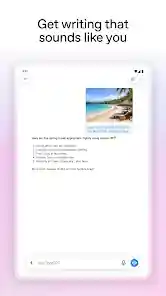
- Content Writing: Create articles, blog posts, emails, descriptions, reports, and other written content.
- Language Translation: Translate text between different languages and improve grammar.
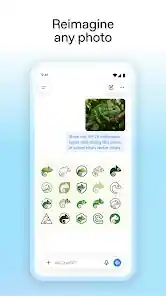
- Image Generation: Generate creative images from written descriptions using supported image-generation features.
- Voice Conversations: Talk with ChatGPT using voice input and receive spoken responses.
- File Analysis: Upload supported documents and spreadsheets for summaries, explanations, and data analysis.
- Coding Assistance: Generate code, explain programming concepts, and help identify errors.
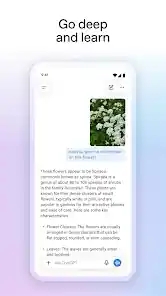
- Learning Support: Understand difficult subjects, practice questions, and receive step-by-step explanations.
- Web Search: Find current information from online sources when web search is available.
- Personalized Assistance: Use custom instructions and supported memory features to make conversations more relevant.
How to Create a ChatGPT Account
Creating a ChatGPT account is a straightforward process that allows users to access its available features and manage their conversations. Users can register through the official website or mobile application.
Follow these steps to create an account:
- Open the official ChatGPT
- Click the Sign Up option on the homepage.
- Enter your email address or choose an available sign-up option.
- Follow the instructions to complete the registration process.
- Verify your email address if requested.
- Provide any additional information required during registration.
- Once registration is complete, open ChatGPT and start using the available features.
A free account provides access to with usage limits, while eligible users can explore paid plans for additional capabilities.
How to Download and Install
ChatGPT is available through its official website and dedicated applications for supported devices. Users do not need to install additional software when accessing it through a web browser. However, installing the official application can make it easier to access directly from a computer or smartphone.
For Android Devices:
- Open Google Play Store on your Android smartphone.
- Search for ChatGPT.
- Check that the developer is OpenAI.
- Tap the Install button.
- Wait for the installation to finish.
- Open the application and sign in to your account.
For iPhone and iPad:
- Open the Apple App Store.
- Search for ChatGPT.
- Select the official application developed by OpenAI.
- Tap Get to download it.
- Complete the installation.
- Open the app and log in.
For Windows and Mac:
- Visit the official website.
- Navigate to the download section.
- Select the appropriate desktop application for your operating system.
- Download the installation file.
- Follow the installation instructions.
- Launch and sign in.
Always download ChatGPT from official sources to avoid unofficial or potentially unsafe applications.
How to Log In and Use
Logging in to ChatGPT allows users to access their accounts, previous conversations, and available AI features. The process is simple and works through the website or official mobile and desktop applications.
After logging in, users can start a new conversation by typing a question or instruction into the message box. generates a response that users can review, copy, or improve by asking additional questions. For better results, provide clear instructions and explain exactly what you need. Users can also upload supported files, share images, and use voice features when available.
ChatGPT for Writing, Learning, and Everyday Tasks
ChatGPT is useful for people who regularly work with written content, educational materials, and everyday information. It can help students prepare study notes, understand complicated subjects, improve grammar, and practice different languages. Teachers can also use it to develop lesson plans, create educational questions, and prepare learning materials.
For professional and personal activities, can assist with writing business emails, preparing reports, creating presentations, organizing schedules, and developing new ideas. Business owners can use it for product descriptions, marketing content, customer communication, and brainstorming. Although it can save time and make routine work easier, users should always review important information before relying on it for professional or official purposes.
ChatGPT for Image Generation, Voice, and File Analysis
ChatGPT supports more than traditional text conversations. Depending on the available model, subscription, and regional availability, users can access additional tools for working with images, voice, and documents. These features make the platform useful for creative projects, communication, and information analysis.
Image Generation: Users can describe an image they want to create, and can generate a visual based on their instructions. It can help with logos, illustrations, website graphics, social media designs, and creative concepts.
Voice Conversations: Voice features allow users to communicate with by speaking instead of typing. This can be useful when someone wants quick answers, language practice, or hands-free assistance.
File Analysis: Users can upload supported files, including PDFs, Word documents, and spreadsheets, depending on available support. ChatGPT can summarize documents, explain information, identify important details, and assist with spreadsheet analysis.
ChatGPT Free vs Paid Plans – Features and Differences
ChatGPT offers different subscription options designed for users with different requirements. The free plan provides access to ChatGPT without a monthly subscription, while paid plans offer higher usage limits and additional capabilities. Exact features and limits can change over time.
| Features | Free Plan | Paid Plans |
|---|---|---|
| AI Conversations | Yes, with limits | Higher limits |
| Access to AI Models | Limited access | Broader access |
| Image Generation | Limited access | Higher limits |
| File Uploads | Limited access | Higher limits |
| Voice Features | Available with limits | Expanded access |
| Advanced Research Tools | Limited access | More access |
| Productivity Features | Basic access | Additional capabilities |
| Monthly Subscription | Free | Paid subscription |
The free version is suitable for casual users, students, and people who need occasional assistance. Paid subscriptions may be more suitable for professionals, content creators, developers, and business users who need additional tools and higher usage limits.
Benefits and Limitations of Using
ChatGPT offers several advantages that make it a useful tool for everyday activities. It can generate content quickly, explain difficult topics, assist with research, and help users organize their work. Its conversational interface makes it easy for beginners to use, while its advanced capabilities support different professional and creative tasks.
However, also has some limitations. It can occasionally generate incorrect information, misunderstand instructions, or provide outdated answers. Some advanced features require a paid subscription, and usage limits may apply. It also cannot replace professional judgment, human creativity, or expert advice in important situations. Users should verify sensitive, financial, legal, and technical information before making decisions.
Pros and Cons
ChatGPT has several positive points that make it useful for students, professionals, and everyday users. It saves time by helping with writing, research, translation, learning, and problem-solving. Its easy-to-use interface, conversational responses, and different AI tools make it a convenient assistant for various activities. Users can also access it through multiple devices and choose from available plans according to their needs.
On the other hand, ChatGPT is not perfect and may sometimes provide inaccurate answers or misunderstand a particular question. Some features have usage restrictions, while advanced tools may require a paid subscription. It also depends on the quality of the instructions provided by users. For this reason, it is better to use ChatGPT as an assistant rather than relying on every response without checking the information.
Personal Review
In my personal experience, is a useful AI assistant for handling everyday tasks, writing content, learning new things, and finding solutions to different problems. Its simple interface and conversational style make it comfortable for beginners as well as experienced users. I particularly like its ability to help with writing, explaining complicated topics, analyzing documents, and generating creative ideas. Although some answers need to be checked for accuracy, is a valuable tool that can save time and make daily work more convenient. Overall, I would recommend it to anyone interested in using artificial intelligence for personal learning and professional productivity.
Frequently Asked Questions (FAQs)
1. What is ChatGPT used for?
ChatGPT is used for answering questions, writing content, translating languages, learning, research, coding, image generation, and completing everyday tasks.
2. Is ChatGPT free to use?
Yes, ChatGPT offers a free plan. Users can access its basic capabilities without paying a monthly subscription, although usage limits apply.
3. Who developed ?
Was developed by OpenAI, an artificial intelligence research and technology company.
4. Can I use on my mobile phone?
Yes, ChatGPT is available through official Android and iOS applications, as well as mobile web browsers.
5. Do I need an account to use ?
An account is not always required for basic access, depending on availability and regional conditions. Creating an account provides access to additional features and conversation history.
6. Can ChatGPT write articles and emails?
Yes, ChatGPT can help users write articles, professional emails, reports, product descriptions, social media posts, and other types of content.
7. Can ChatGPT generate images?
Yes, supported ChatGPT versions include image-generation capabilities that allow users to create images from written descriptions.
8. Is ChatGPT available for Windows and Mac?
Yes, official desktop applications are available for supported Windows and macOS devices. Users can also access ChatGPT through a web browser.
9. What is the difference between ChatGPT Free and Paid?
The free plan provides basic access with usage limits, while paid plans generally offer higher limits, broader model access, and additional features.
10. Can analyze PDF and Excel files?
Yes, supports uploading and analyzing various document and spreadsheet formats, depending on the file type, size, and available account features.
11. Does support different languages?
Yes, can understand and generate responses in many languages, including English, Urdu, Arabic, French, and Spanish.
12. Is safe to use?
ChatGPT includes privacy and security controls, but users should avoid sharing passwords, banking credentials, and other highly sensitive personal information.
13. Can provide real-time information?
Yes, when web search is available, ChatGPT can search online sources to provide updated information about different topics.
14. Can ChatGPT help with school and university studies?
Yes, students can use it to understand subjects, prepare notes, practice questions, improve writing, and explore educational topics. They should still follow their institution’s academic integrity rules.
Images