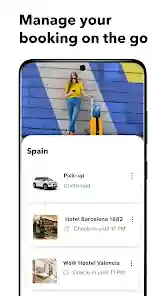
Booking.com, Book Hotels, Flights, Apartments & Travel Services Online
Just Now
9.5 MB
V6.2
Andriod +
9000K +
Description
Introduction to Booking.com – Online Travel and Accommodation Platform
Booking.com is a popular online travel platform that helps people find and book accommodation, flights, rental cars, and other travel services. It provides access to different types of accommodation, including hotels, apartments, resorts, guesthouses, and holiday homes. Travellers can compare available options, check prices, read customer reviews, and choose places that match their travel plans and budgets.
The platform is designed to make travel planning easier and more convenient. Users can access Booking.com through its official website or mobile application. It provides useful information about destinations, accommodation facilities, booking conditions, and customer ratings. Whether someone is planning a family holiday, business trip, or weekend getaway, Booking.com offers different travel options in one place.
2. What Is Booking.com and How Does It Work?
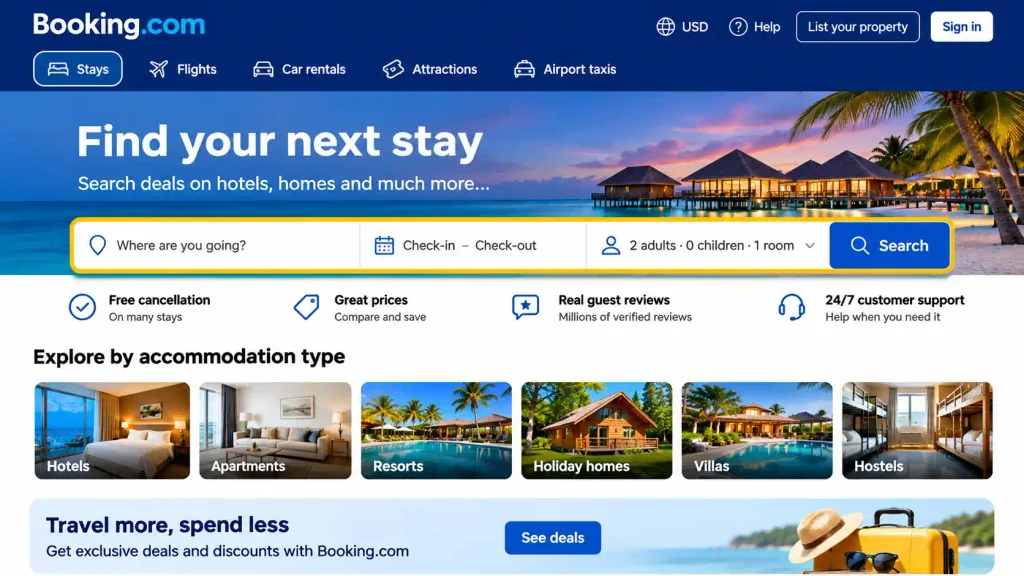
Booking.com is an online travel booking service that connects travellers with accommodation providers and other travel service companies. It allows users to search for available hotels, apartments, resorts, flights, and rental cars. The platform displays important details such as prices, locations, facilities, photographs, guest reviews, and booking conditions to help customers make informed decisions.
Booking.com works through a simple online booking process. Users enter their destination, travel dates, and number of guests to explore available options. After selecting a suitable service, they can review the details, enter the required information, and complete the reservation according to the payment conditions. Booking confirmations and reservation details can usually be accessed through an account or confirmation email. You can visit the website Apknova
3. Key Features of Booking.com
- Accommodation Search: Find hotels, apartments, resorts, and holiday homes.
- Price Comparison: Compare prices between different accommodation options.
- Customer Reviews: Read feedback and ratings from previous guests.
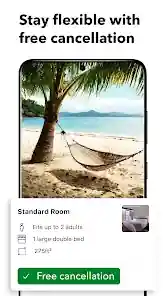
- Flexible Booking Options: Find properties offering free cancellation or flexible conditions.
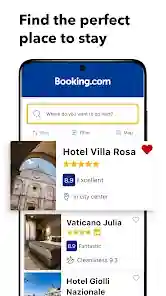
- Map View: Explore accommodation locations on a map.
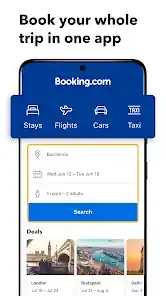
- Travel Services: Search for flights, rental cars, and selected travel experiences.
- Wishlist: Save favourite properties for future reference.
- Booking Management: View and manage existing reservations.
- Multiple Languages: Access the platform in different supported languages.
- Customer Support: Get assistance with booking-related questions and problems.
4. Hotels, Apartments, Resorts, and Accommodation Options
Booking.com provides different accommodation choices for travellers with different needs and budgets.
- Hotels: Find budget, standard, and luxury hotels.
- Apartments: Book private apartments with additional living space.
- Resorts: Explore holiday resorts with recreational facilities.
- Guesthouses: Find smaller accommodation options with a personal atmosphere.
- Holiday Homes: Choose private properties for family trips and longer stays.
- Hostels: Discover affordable shared and private rooms.
- Villas: Explore larger private properties for groups and families.
- Bed and Breakfast: Find accommodation that may include breakfast services.
5. Flights, Car Rentals, and Travel Services on Booking.com
- Flight Search: Compare available flights between destinations.
- Car Rentals: Find rental vehicles for personal and business travel.
- Airport Transfers: Explore available transportation services where offered.
- Attractions: Discover popular tourist attractions and activities.
- Travel Experiences: Find selected tours and activities.
- Destination Information: Explore travel destinations and useful information.
- Travel Planning: Manage different parts of a trip through one platform.
6. How to Create a Booking.com Account
- Open the official Booking.com website or mobile application.
- Select the Sign In or Create Account option.
- Enter your email address.
- Create a secure password if required.
- You may also register using an available Google or Apple account.
- Complete the email or identity verification process if requested.
- Enter any additional information required.
- Access your account and start searching for travel services.
7. How to Download and Install Booking.com
- Android: Open Google Play Store and search for Booking.com.
- iPhone and iPad: Visit the Apple App Store and search for Booking.com.
- Download: Select the official application and tap Install or Get.
- Installation: Wait for the application to download and install.
- Open App: Launch Booking.com from your device.
- Sign In: Log in using your existing account or create a new one.
- Updates: Keep the application updated for supported features and improvements.
8. How to Log In and Manage Your Booking.com Account
- Open Visit the official website or application.
- Select Sign In: Open the account login section.
- Enter Email: Provide your registered email address.
- Continue: Follow the available login instructions.
- Verify Account: Complete verification if requested.
- Manage Personal Details: Update your name and contact information.
- View Reservations: Check your upcoming and previous bookings.
- Save Properties: Add interesting accommodation options to your wishlist.
- Manage Security: Keep your login information private and secure.
- Sign Out: Log out when using a shared device.
9. How to Search and Book Hotels
- Open the Booking.com website or application.
- Enter your destination or hotel name.
- Select your check-in and check-out dates.
- Choose the number of adults, children, and rooms.
- Browse the available accommodation options.
- Use filters to select your preferred price range and facilities.
- Compare photographs, locations, and customer reviews.
- Select a suitable property.
- Review the room details, payment terms, and cancellation conditions.
- Enter the required guest information.
- Complete the reservation according to the property’s payment requirements.
- Check your booking confirmation.
10. Payment Methods, Booking Confirmation, and Cancellation Policy
- Credit Cards: Some properties accept major credit cards for reservations and payments.
- Debit Cards: Supported debit cards may be used depending on the property and booking conditions.
- Online Payments: Certain reservations allow customers to pay online.
- Pay at Property: Some properties offer payment directly at the accommodation.
- Booking Confirmation: Customers receive confirmation after completing the required booking steps.
- Reservation Details: Check the property name, dates, room type, and guest information.
- Free Cancellation: Some reservations allow cancellation without additional charges before the stated deadline.
- Non-Refundable Bookings: Certain reservations do not offer refunds after cancellation.
- Cancellation Charges: Fees depend on the selected property’s cancellation policy.
- Payment Deadlines: Always check when payment is required before confirming a reservation.
11. Mobile App – Features and Benefits
- Easy Booking: Search and reserve accommodation directly from your smartphone.
- Quick Search: Find hotels and other accommodation using destination filters.
- Booking Management: View upcoming and previous reservations.
- Mobile Notifications: Receive relevant booking updates and reminders.
- Saved Properties: Keep your favourite accommodation options in one place.
- Travel Information: Access reservation details while travelling.
- Customer Support: Contact support through available app options.
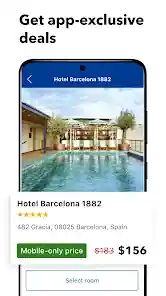
- Price Comparison: Compare different properties and available offers.
- Easy Navigation: Explore destinations and accommodation through a simple interface.
12. Pros and Cons of Using Booking.com
| Pros | Cons |
|---|---|
| Large selection of accommodation options. | Prices can change depending on travel dates. |
| Easy hotel and apartment booking process. | Some reservations have strict cancellation policies. |
| Customer reviews help with decision-making. | Not every property has the same service quality. |
| Different accommodation categories. | Additional taxes and fees may apply. |
| Useful search filters and price comparisons. | Customer support may take time during busy periods. |
| Supports multiple languages and currencies. | Some payment methods are not available everywhere. |
| Offers flight and car rental services. | Availability depends on location and travel dates. |
| Mobile application makes booking convenient. | Some properties may have limited booking flexibility. |
13. Frequently Asked Questions (FAQs) About Booking.com
1. What is Booking.com used for?
Booking.com is used to search and book hotels, apartments, resorts, flights, rental cars, and other travel services.
2. Is Booking.com free to use?
Yes, creating an account and searching for travel options is generally free. Customers pay for the services they book.
3. Can I book a hotel without creating an account?
Some reservations allow guests to book without creating an account, depending on the booking process and requirements.
4. Does Booking.com offer free cancellation?
Yes, some properties offer free cancellation. However, cancellation conditions depend on the selected reservation.
5. Can I pay at the hotel when using Booking.com?
Yes, some properties allow guests to pay at the property. Payment arrangements depend on the selected accommodation.
6. Is Booking.com available on Android and iPhone?
Yes, Booking.com offers official mobile applications for compatible Android and iOS devices.
7. Can I change my hotel reservation?
Some reservations allow changes to travel dates, guest details, or room arrangements, depending on the property’s conditions.
8. How can I check my booking confirmation?
You can check your reservation through your Booking.com account or the confirmation email sent after booking.
9. Does Booking.com offer flights and car rentals?
Yes, Booking.com provides flight search and car rental services in supported markets.
10. Is Booking.com safe to use?
Booking.com is an established travel platform. However, users should check property reviews, payment instructions, cancellation conditions, and booking details before making a reservation.
11. Can I use Booking.com in Pakistan?
Yes, users in Pakistan can access Booking.com through its website and mobile application to explore available travel services.
12. How can I contact Booking.com customer support?
Users can visit the Help Centre or access customer support through their account to get assistance with reservations and other booking-related issues.
Images