Threads, Share Posts, Join Conversations & Connect with People Online
Just Now
15MB
V5.2
Andriod +
10000K +
Description
Introduction to Threads – Social Media and Text-Based Conversation Platform
Threads is a social media platform developed by Meta that allows people to share thoughts, opinions, updates, and ideas through text-based posts. It provides a space where users can participate in public conversations, follow interesting creators, and connect with people who share similar interests. The platform supports different types of content, including text, photographs, videos, links, and interactive posts.
Threads is designed to make online communication simple and engaging. Users can discover trending discussions, interact with other accounts, and build their own online communities. It is closely connected with Instagram, making it easier for existing Instagram users to join Threads and connect with familiar accounts. The platform is available through mobile applications and its official website.
What Is Threads and How Does It Work?
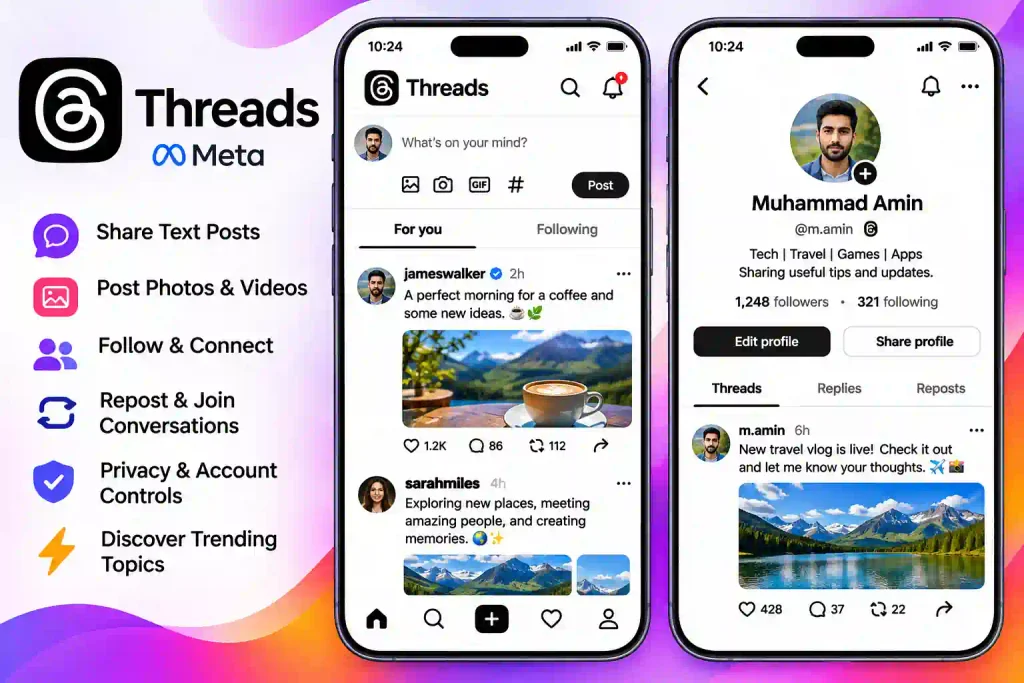
Threads is a text-focused social networking application created by Instagram’s team at Meta. It allows users to publish posts, share information, discuss different topics, and communicate with other people. Unlike traditional photo-focused social platforms, Threads gives more attention to written conversations while also supporting images, videos, links, and other media.
Threads works by connecting users through profiles, followers, and personalised content feeds. After signing in, users can explore posts, follow accounts, like content, write replies, and share interesting discussions. The platform recommends content based on different interests and activities, helping users discover new communities. It also includes tools for managing privacy, controlling replies, and maintaining a safer online experience. About Facebook+1 and you can visit the website Apknova
Key Features
- Text-Based Posts: Share thoughts, opinions, questions, and daily updates.
- Photo Sharing: Upload photographs to make conversations more interesting.
- Video Sharing: Publish videos and explore visual content.
- Reposts: Share interesting posts with your followers.
- Likes and Replies: Interact with posts and join discussions.
- Personalised Feed: Discover content based on interests and activity.
- Topic Tags: Add relevant topics to help people discover your posts.
- Account Mentions: Mention other users in conversations.
- Privacy Controls: Manage who can reply, mention, and interact with you.
- Direct Messaging: Communicate privately through available messaging features.
- Search Function: Find accounts and explore discussions.
- Insights: Eligible creators can review post performance and audience activity.
About Facebook+1
Text Posts, Photos, Videos, and Conversations
- Text Posts: Write updates, share opinions, and ask questions.
- Photo Posts: Attach photographs to your conversations.
- Video Posts: Share videos and entertainment content.
- Links: Include website links and useful online resources.
- Replies: Respond to other users’ posts and participate in discussions.
- Reposts: Share existing posts with your audience.
- Quote Posts: Share another post with your own comments.
- Polls: Create questions and allow people to vote.
- GIFs: Add animated images to make conversations more engaging.
- Longer Text Attachments: Use supported text attachment features to share additional information.
Threads Account – Connection with Instagram
- Instagram Login: Users can get started using their Instagram account.
- Profile Information: Some profile details can carry over from Instagram.
- Username: Your Instagram username can be used when setting up Threads.
- Profile Customisation: Adjust your profile according to your preferences.
- Following Accounts: Find and follow people you already know on Instagram.
- Separate Experience: Manage your activity separately from Instagram.
- Account Settings: Review available account and privacy options.
- Verification: Eligible verification information may carry over from Instagram.
About Facebook+1
How to Create a Threads Account
- Open the official Threads application or website.
- Select the option to log in or get started.
- Use your Instagram account to continue.
- Enter your Instagram login information if requested.
- Complete the required verification process.
- Review your profile information.
- Add a profile picture and biography if needed.
- Choose whether you want a public or private profile.
- Follow suggested accounts or search for people you know.
- Complete the setup and start using Threads.
How to Download and Install Threads
- Android: Open Google Play Store and search
- iPhone: Visit the Apple App Store and search
- Download: Select the official application developed by Instagram.
- Install: Tap the Install or Get option.
- Open: Launch Threads after installation.
- Login: Continue using your Instagram account.
- Update: Install available updates to access new features and improvements.
How to Log In and Manage
- Open Threads: Launch the application or visit the official website.
- Instagram Login: Continue using your connected Instagram account.
- Enter Details: Provide your login information if requested.
- Account Verification: Complete any required security verification.
- Edit Profile: Update your profile picture, biography, and other available details.
- Manage Followers: Review your followers and the accounts you follow.
- Check Notifications: View likes, replies, mentions, and other activity.
- Review Settings: Access account preferences and privacy controls.
- Manage Messages: Review and manage available private conversations.
- Log Out: Sign out when using a shared or public device.
How to Create, Share, and Delete Posts
- Create a Post: Open Threads and select the new post option.
- Write Content: Enter your thoughts, ideas, or questions.
- Add Photos: Attach images from your device.
- Upload Videos: Select a supported video to share.
- Add Links: Include relevant website links.
- Mention Users: Use mentions to include other accounts in a conversation.
- Add Topics: Select relevant topics where available.
- Publish: Select the Post option to share your content.
- Share Posts: Repost or share content with other platforms.
- Delete Posts: Open your published post, select its menu, and choose the delete option.
Following Users, Reposting, and Interacting with Content
- Follow Users: Visit profiles and follow accounts that interest you.
- Unfollow Accounts: Remove accounts from your following list.
- Like Posts: Show appreciation for interesting content.
- Reply to Posts: Write comments and participate in discussions.
- Repost Content: Share another user’s post with your followers.
- Quote Posts: Add your own thoughts when sharing an existing post.
- Mention People: Tag other users in relevant conversations.
- Explore Topics: Discover discussions related to your interests.
- Share Content: Send interesting posts through available sharing options.
- Send Messages: Use supported messaging features to communicate privately.
Privacy Settings, Account Security, and Content Controls
- Private Profile: Limit access to your posts and interactions to approved followers.
- Public Profile: Allow people to discover and view your public content.
- Reply Controls: Choose who can reply to your posts.
- Mention Controls: Manage who can mention your account.
- Hidden Words: Filter replies containing selected words or phrases.
- Blocking: Prevent selected accounts from interacting with you.
- Reporting: Report inappropriate posts, profiles, or activities.
- Account Security: Use a strong password and available two-factor authentication.
- Message Controls: Manage who can contact you through available messaging settings.
- Content Management: Review and manage your posts and interactions.
Threads Compatibility with Android, iOS, and Web Browsers
- Android Devices: Use Threads through the official Android application.
- iPhone: Access Threads using the iOS application.
- iPad: Use compatible iOS application support where available.
- Windows PC: Open Threads through a supported web browser.
- Mac Computers: Access the platform through its official website.
- Mobile Browsers: Visit Threads using supported mobile browsers.
- Internet Connection: A stable internet connection helps load posts and media.
- Application Updates: Keep your application updated for the latest supported features.
Pros and Cons of Using Threads
| Pros | Cons |
|---|---|
| Simple and user-friendly interface. | Requires an account to access full features. |
| Easy connection with Instagram. | Strong connection with the Instagram ecosystem. |
| Supports text, photos, and videos. | Not every feature is available in all regions. |
| Allows users to join public conversations. | Recommended content may not always match interests. |
| Helps creators build online communities. | Requires an internet connection. |
| Offers privacy and safety controls. | Unwanted interactions can still occur. |
| Supports reposts, replies, and likes. | Frequent notifications can become distracting. |
| Available on mobile and web. | Some features may differ between platforms. |
Frequently Asked Questions (FAQs) About
1. What is ?
Threads is a social media platform developed by Meta that allows users to share text posts, photographs, videos, and participate in online conversations.
2. Is Threads free to use?
Yes, Threads is free to download and use. Some features and services may have separate requirements.
3. Do I need an Instagram account to use Threads?
Threads has traditionally used Instagram accounts for registration. Available account creation options may vary by region and current platform support.
4. Is available on Android and iPhone?
Yes, offers official applications for compatible Android and iOS devices.
5. Can I use on my computer?
Yes, you can access through its official website using a supported web browser.
6. Can I share photos and videos ?
Yes, users can share photographs, videos, links, and text-based posts.
7. Can I make my account private?
Yes, provides a private profile option that allows users to control who can follow and interact with their content.
8. Can I delete a post on Threads?
Yes, you can delete your published posts through the post options menu.
9. Can I send private messages on Threads?
Yes, Threads supports direct messaging, subject to its messaging availability and account restrictions.
10. Is Threads similar to Instagram?
Both platforms are developed by Meta, but Threads focuses more on text-based conversations, discussions, and sharing opinions.
11. Can I block someone on Threads?
Yes, you can block accounts to prevent unwanted interactions.
12. Is Threads safe to use?
Threads provides privacy settings, blocking, reporting, and other safety tools. Users should still avoid sharing sensitive personal information and be careful when interacting with unknown accounts.
Images